

Products · Know your business
Insights sized to the person reading them.
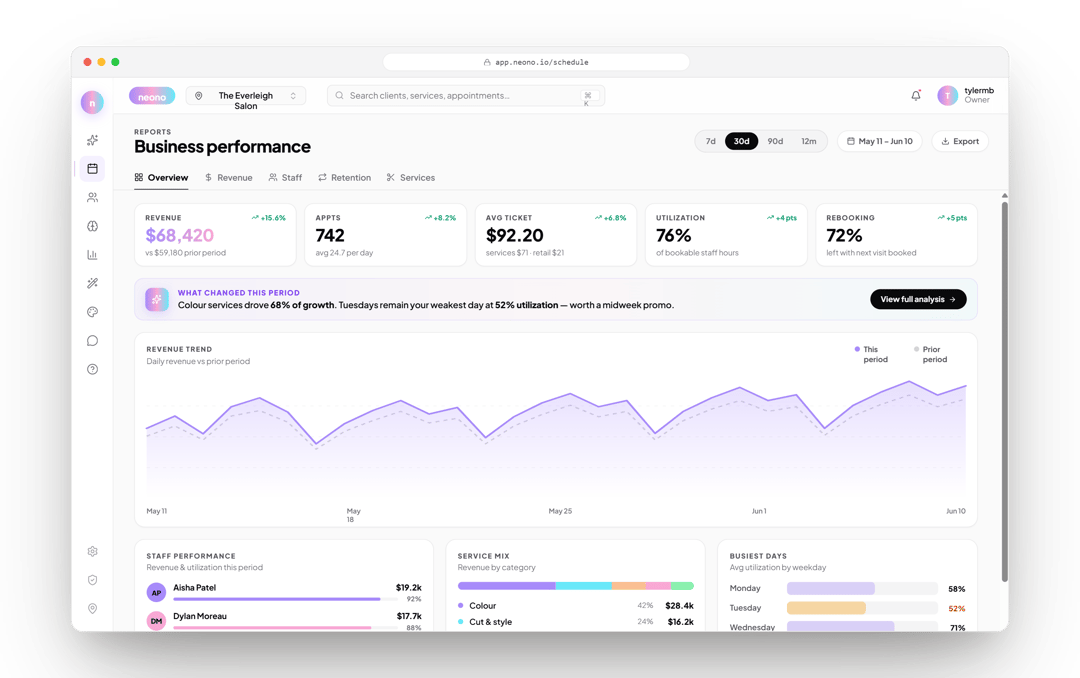
Owners get margin and payroll load. Managers get chair utilisation and rebooking. Stylists get their own numbers, and nobody else's.
- Role-based views
- Utilisation and rebooking
- Margin, not just revenue
No booking commissions, no marketplace fees, no client-poaching.
- 1Role-based views
- 2Utilisation and rebooking
What it does
A single dashboard for everyone means either the owner sees too little or the team sees too much. Reporting follows the role.
Owner view
Revenue against product cost and payroll load, so the number on screen is margin rather than takings.
Manager view
Chair utilisation, gaps, no-shows and rebooking rate — the levers a floor manager can actually pull this week.
Stylist view
Each person sees their own book, retail and rebooking, and not their colleagues' figures.
Utilisation by chair and by day
See which chairs and which hours are earning, and which are open because of how the schedule is built.
Client retention
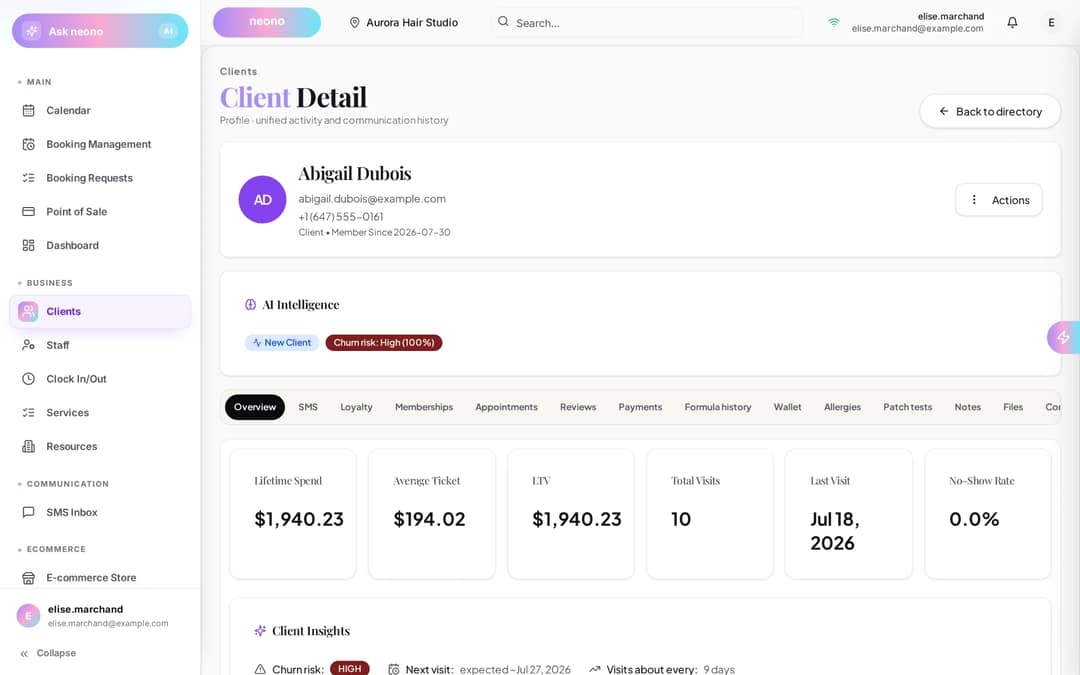
First-visit return rate and time between visits, so churn is visible before the quarter ends.
Exports
Take any view out as a file for your accountant or your own spreadsheet.
In detail
Roles
Different jobs, different numbers.
Reporting permissions follow the role, so an owner can share the floor's performance without publishing everybody's pay.
- Views scoped by role
- Stylists see their own performance only
- Owners and managers see the shop
Utilisation
An empty chair is the most expensive thing in the room.
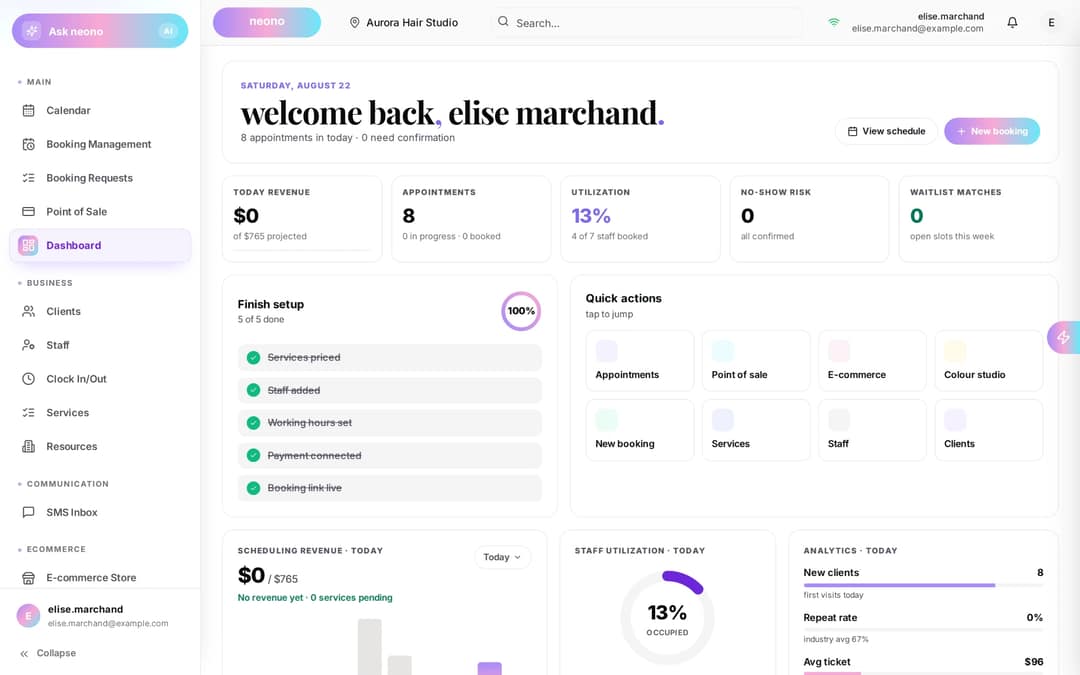
- Booked hours against available hours, per chair and per day
- Gaps and no-shows separated so the fix is obvious
- Rebooking rate tracked per stylist
- 1Booked hours against available hours, per chair and per day
- 2Gaps and no-shows separated so the fix is obvious
Margin
Revenue is not the number that pays you.
Service revenue read next to product cost and payroll load shows which services actually contribute.
- Product cost from what was recorded at the bowl and the till
- Payroll load from the compensation each person is actually on
- Margin per service category, not just per ticket
Retention
Know who is drifting before they are gone.
- First-visit return rate by stylist
- Average time between visits by client segment
- Segments handed straight to a marketing send
- 1First-visit return rate by stylist
- 2Average time between visits by client segment
The math
What one point of chair utilisation is worth.
Round inputs so you can substitute your own — the arithmetic is the point.
One extra booked hour per chair, per week
- Chairs
- 5
- Extra booked hours per chair, per week
- 1
- Extra booked hours per week
- 5
- Over a 50-week year
- 250 hours
Illustrative arithmetic with round inputs — not a NeonO benchmark and not a measured result.
Who it's for
Owners and managers who want the same numbers their team can trust.
Included in your plan
Reporting is part of every NeonO plan rather than a business-intelligence upgrade sold on top.
NeonO
$24.99per billable seat, per month, CAD — only the first eight billable seats are charged
- Online booking, scheduling & reminders
- Point of sale, payments & tap to pay
- SMS & email marketing
- Free booking website & link-in-bio
- Multi-chair scheduling, commission & tips
- Analytics, reports & timesheet export
Processing is billed separately from your subscription. 2.39% + $0.30 per card-present transaction (CAD); 2.99% + $0.30 per online transaction (CAD). These are all-in rates — there is no separate application fee on top.
Questions about analytics
Can stylists see each other's numbers?
No. Views are scoped by role, so a stylist sees their own book, retail and rebooking, and not their colleagues' figures.
Where does product cost come from?
From what was recorded at the point of sale and, for colour services, from the formulas logged in Colour Studio.
Is utilisation measured per chair?
Yes. Booked hours against available hours is shown per chair and per day, with gaps and no-shows separated.
Can I export the data?
Yes. Views can be exported as a file for your accountant or your own spreadsheet.
Does reporting need setting up?
No. It reads the bookings, tickets and compensation settings you already use, so it fills in as you work.
Can I act on a segment I find?
Yes. Client segments such as lapsed clients can be handed to a marketing send, with consent still applied at send time.
Related products
See the numbers that actually decide things.
Start a free trial and read your floor by role, not by spreadsheet.